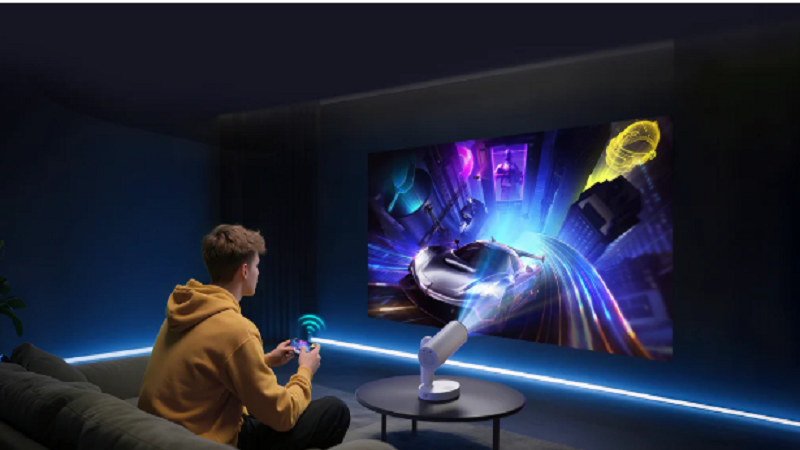
Projectors power everything from corporate presentations to movie theaters. A simple device can transform a small digital image into a massive display across a wall or screen. The process looks almost magical to people seeing it for the first time.
Many event planners, teachers, and AV technicians often ask the same question: how does a projector work. If you want a deeper technical explanation, you can explore this detailed guide on how a projector works. Understanding the technology behind projectors helps organizations choose the right equipment for conferences, classrooms, and large events.
Projectors rely on light, lenses, and imaging technology. These elements combine to create large, bright visuals. The core goal is simple: take a digital signal and convert it into a projected image that people can see across a room.
This article explains the full process in clear steps.
The Basic Idea Behind Projection
Every projector follows the same general principle. It shines a powerful beam of light through an imaging system. That system shapes the light into the picture you see on a screen.
Three major components make this possible:
- Light source
- Imaging chip or panel
- Projection lens
The projector first generates bright light. The imaging system shapes that light into pixels and colors. Finally, the lens magnifies and focuses the image onto a surface.
The result is a large visual display created from a tiny digital signal.
Step 1: Creating a Powerful Light Source
A projector begins by producing intense light. This light acts as the foundation of the projected image.
Older projectors use high-intensity lamps. Newer models often rely on LED or laser light sources.
These light systems must be extremely bright. The image has to remain visible even when projected across large rooms.
White light typically comes from a bulb or laser engine. That light contains every color in the visible spectrum. The projector then splits and controls those colors to build the final image.
Brightness is critical for projection. Without enough light, the image would appear dim or washed out.
Step 2: Splitting Light Into Colors
Once the projector creates light, the system separates it into color components.
Most projectors work with three primary colors:
- Red
- Green
- Blue
These colors combine to produce every shade visible to the human eye.
In LCD projectors, mirrors and filters split white light into these three colors before passing them through individual panels.
Each panel controls how much light passes through for that specific color.
The projector then recombines the colors to form a full-color image.
This color mixing happens thousands of times per second.
Step 3: Shaping the Image With Imaging Technology
The imaging system determines the pixels of the projected image.
Different types of projectors use different technologies to accomplish this task.
The most common systems include:
- DLP
- LCD
- LCoS
Each technology manipulates light in a slightly different way.
DLP Projectors
DLP stands for Digital Light Processing.
These projectors use a special chip called a Digital Micromirror Device (DMD). The chip contains millions of microscopic mirrors.
Each mirror represents a pixel in the projected image.
The mirrors tilt back and forth rapidly. When a mirror reflects light toward the lens, the pixel appears bright. When it tilts away, the pixel appears dark.
A spinning color wheel adds red, green, and blue light. The mirrors switch thousands of times per second to create full-color images.
The human eye blends these rapid changes into a smooth picture.
LCD Projectors
LCD projectors use liquid crystal panels instead of mirrors.
Each panel acts like a tiny shutter. The shutter either allows light to pass through or blocks it.
Three LCD panels control the red, green, and blue color channels. The panels combine their output to create the final image.
LCD systems often produce bright colors and strong image clarity.
They work well for presentations that include charts, slides, and diagrams.
LCoS Projectors
LCoS stands for Liquid Crystal on Silicon.
This technology blends elements of LCD and DLP systems. It uses liquid crystals but reflects light off a silicon surface.
LCoS projectors often deliver extremely high image resolution. They are common in high-end home theater systems and large-venue projection setups.
Step 4: Projecting the Image Through a Lens
After the imaging system shapes the picture, the projector sends it through a lens.
The lens magnifies the image and focuses it onto a surface.
This process works similarly to how a camera lens focuses light onto a sensor.
Projector lenses control several important factors:
- Image size
- Focus
- Distance
- Keystone alignment
Adjusting the lens allows the projector to display clear images even across long distances.
The lens determines how large and sharp the projected image appears.
Step 5: Displaying the Image on a Screen
The final step happens when the light reaches a surface.
Most projectors use specialized projection screens. These screens reflect light evenly and improve brightness.
However, projectors can also display images on:
- Walls
- Whiteboards
- Large panels
- Outdoor screens
The surface reflects the light toward the audience. The result is a large, visible image created entirely by projected light.
A small digital file becomes a massive display visible to dozens or even thousands of people.
Why Projectors Are Still Important Today
Large displays exist in many forms. LED walls and giant televisions continue to grow in popularity.
Yet projectors remain widely used.
They offer several advantages.
Large image sizes
Projectors can easily create screens larger than 100 inches.
Flexible placement
A projector only needs a wall or screen to operate.
Cost efficiency
Large televisions can be extremely expensive. Projectors often deliver bigger displays at lower cost.
These benefits make projectors common in:
- Conference rooms
- Universities
- movie theaters
- corporate events
- training seminars
Modern Projector Technology
Projection technology continues to evolve rapidly.
New models use advanced systems that improve brightness, color accuracy, and durability.
Several innovations are shaping the future of projection.
Laser Light Sources
Laser projectors use lasers instead of traditional lamps.
They provide several benefits:
- Longer lifespan
- Higher brightness
- Better color consistency
Laser systems can run for thousands of hours without replacing bulbs.
This makes them popular in large venues and cinemas.
LED Projectors
LED projectors rely on light-emitting diodes instead of traditional bulbs.
These systems are compact and energy efficient. They also generate less heat.
LED projectors often appear in portable presentation devices.
They are common in small meeting rooms or mobile setups.
Ultra-Short Throw Projection
Ultra-short-throw projectors can sit very close to the screen.
Traditional projectors require several feet of distance. Ultra-short-throw systems can project large images from only a few inches away.
This design helps prevent shadows and glare during presentations.
Why Businesses Use Projectors for Events
Projectors remain a staple of corporate events and conferences.
They provide flexible visual displays for presentations and keynote speeches.
Event organizers often choose projection systems because they allow quick setup and customization.
A typical conference setup may include:
- Stage projection screens
- Multiple projectors for large rooms
- Confidence monitors for speakers
- Presentation switching systems
Professional AV teams carefully calibrate these systems to ensure clear visuals for every attendee.
Good projection quality directly affects audience engagement.
Blurry slides or dim images can reduce the impact of a presentation.
Tips for Getting the Best Projection Quality
Organizations can improve projection performance with a few simple steps.
Control ambient light
Bright rooms reduce image clarity. Dim lighting improves visibility.
Choose the right screen
Specialized projection screens reflect light evenly and enhance brightness.
Position the projector correctly
Proper alignment prevents distortion or keystone issues.
Use high-resolution content
Low-resolution images appear blurry when projected at large sizes.
These small adjustments dramatically improve the viewing experience.
The Future of Projection Technology
Projection systems continue to advance each year.
New developments include:
- 8K resolution projection
- AI-assisted image correction
- interactive projection mapping
- holographic display research
Some event productions now combine projection with LED walls and augmented visuals.
This blend of technologies creates immersive environments for conferences and entertainment.
Projection remains one of the most flexible display technologies available.
Final Thoughts
Projectors may seem simple from the outside. Inside the device sits a complex combination of optics, electronics, and imaging technology.
A powerful light source produces brightness. Imaging systems shape that light into pixels and colors. Lenses magnify the picture and project it across a room.
The entire process happens almost instantly.
Understanding projection technology helps event planners, educators, and businesses choose the right equipment for their needs.
Most importantly, it reveals how a beam of light can become a giant, vibrant image that captures the attention of an entire audience.
Reed More:btwletternews